
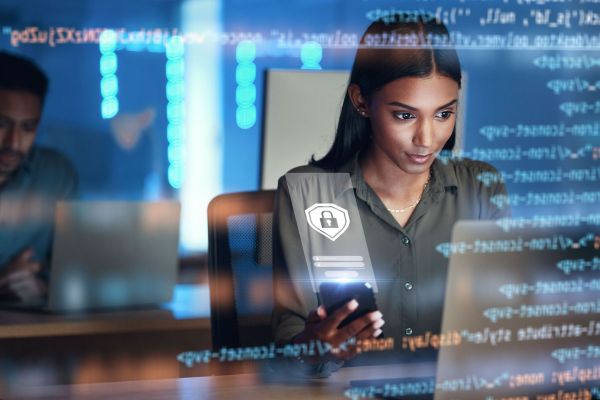

Payment apps such as Zelle, PayPal, Venmo, and Cash App make it easy for consumers to shop online, split a dinner bill, and send funds to each other. Unfortunately, peer-to-peer payments (P2P payments) also make it easy for scammers to steal your money. While these are safe money transfer apps, they’re very popular with fraudsters because once you send them money, you’re unlikely to get it back. Payment app safety involves being able to spot scams before they happen, while securing your devices and accounts.
American consumers lost $12.5 billion to fraud in 2024, a 25% increase over the previous year, according to the Federal Trade Commission (FTC). Ranked by dollar amount, investment scams are the number one type of fraud, with consumers losing $5.7 billion in 2024. Imposter scams were in second at $2.95 billion.
Payment app scams cost Americans more than $2 billion in 2023, according to ACI Worldwide, a digital payments software company. It is projected that these scams will continue to rise as more people adopt the use of payment apps. Among the different types of payment scams, impersonation and advanced payment scams topped the company’s list of payment scams at 18%, followed by investment and invoice scams (14%) and romance scams (12%).
How Mobile Payment Apps Work
Payment apps let you send money quickly and easily from your smartphone, computer, etc. Part of their convenience is how easy they are to use. Simply install the mobile payment app of your choice and set up an account. You’ll need to choose a password or PIN, and it’s a good idea to do so even if you already have a password or PIN on your phone.
You’ll choose a payment method such as a bank account, debit card, or credit card. You might enter more than one, so you can choose between them when you send money to someone. Once you set up an account, you can easily send and receive money. When you send money to someone, it’s taken from whichever payment method you choose. When you receive funds, they’re added to your balance in the app. You can leave it there to use later or transfer the funds to a bank account.
How Payment App Scams Work
To protect against payment app fraud, it’s important to learn how these types of scams work so you’ll know what to watch out for. A fraudster’s number one priority is to create a sense of fear and urgency and see you act before you have time to think about what they’re asking for, so you don’t try to investigate and verify their claims.

The “Suspicious Activity” Scam
Scammers impersonating your credit card company or bank contact you to report “suspicious activity” on your account. They might claim your account has been frozen to protect it from fraud. They tell you to act immediately to either secure, verify, or unfreeze your account by sending money directly to yourself, your bank, or your credit card company. Whichever address or account they want you to send money to, you can bet these funds will be lost as soon as you tap “send.” Financial institutions would never ask you to send money like this.
The “Confirm Your Information” Scam
Another impersonation scam, although this one usually involves fraudsters claiming to be from the fraud department of your bank, your credit card, or some other business, such as an online merchant. The scammer claims there’s something wrong with a recent transaction or one of your accounts. They might claim someone is using your account in a scam—but the real scam is happening to you. They ask you to “verify or confirm” information such as your bank and credit card account numbers, usernames and passwords, plus your Social Security number, date of birth, etc. Scammers can then use this information to gain access to your accounts, to steal your funds and your identity.
The Work from Home Scam
Someone offers you a lucrative work-from-home job with a new company. They send you a fraudulent check to deposit and say it’s for onboarding costs such as training materials, setting up a workstation, and the like. Your “boss” asks you to deposit the check and to “return” part of the funds through a payment app. The check bounces, but your payment to the scammer has already gone through.
The “Oops, I Sent You Money” Scam
You’re contacted by someone you don’t know who claims they “accidentally” sent money to you through a P2P service, and they ask you to send the money back to them. Even if a scammer does send money to you, that itself will be a scam, as they typically do this using stolen funds. It’s similar to the work-from-home scam, except you wind up being stuck with a phony payment rather than a bounced check.
The “Can I Borrow Your Phone” Scam
You’re approached by a stranger who claims they’re having some kind of emergency, and they ask to borrow your phone to make a phone call or send a text to someone. In reality, they’ll try to access your payment apps to send money to themselves or some other account without you knowing.
The Phishing Scam
A scammer sends you a text or email message, pretending to be someone who works for a payment app provider, your bank, your credit card, or an online merchant. They ask you to tap on a link to change your password, update your information, or confirm or verify your account. The link will either be a way for the scammer to discover your password and gain access to your account, or it’ll allow the scammer to install malware that compromises your account and/or your device.
The Cash Flipping Scam
Someone you don’t know contacts you and asks you to send them money as a loan or some kind of investment, with an offer that they will return at least twice that amount within weeks or days. Of course, this is a scam.
The Phony Sale Scam
You find a post about an item for sale on Craigslist, Facebook, Instagram, or some other platform. They might claim they’ve had other people interested in the item, and they’ll sell it to the first one who sends them money through a payment app. The “seller” might say they’ll ship the item immediately. In some cases, they’ll pretend to live in your community but won’t let you see the item until it’s paid for. Don’t send money to someone you don’t know unless you’ve received the item and can verify that it’s legit. If a scammer agrees to meet you somewhere so you can collect the item, make sure you do so in a public place where there will be other people around, such as a police station parking lot.
The Fake Ticket Scam
Another version of the phony sale scam, but this one involves concert tickets to see a popular show, such as Taylor Swift. The tickets seem like a bargain online, but that’s because they don’t exist. If you meet a scammer in person, the tickets they offer may look like the real thing—but could be fraudulent.
The Romance Scam
A scammer poses as an attractive and available person online, usually through a dating app. They often use artificial intelligence to create romantic messages and pretend to form a bond with their victim. After gaining your trust, the scammer asks you to send the money for travel expenses so they can come and see you. At the last minute, they’ll claim some kind of emergency and ask for more funds.
How to Avoid Payment App Scams
Mobile payment security involves being wary of unsolicited messages, verifying all incoming and outgoing information, avoiding rushed decisions, and using every tool available to keep your devices and accounts secure. Remember that scammers have ways of spoofing phone numbers, so it looks like they’re contacting you from a legitimate number. If you need to contact your bank, credit card, or some other company make sure you do so using a number that’s legitimate.
Watch out for Strangers
Don’t let strangers borrow your phone. Don’t use a payment app to send money to someone you don’t know.
Verify Before Sending
Be careful when sending money to people you do know. Make sure you’ve entered the recipient’s information correctly, down to the last digit. If you accidentally send money to the wrong person, they might not send it back to you. They might think you’re trying to scam them.
Watch out for Unsolicited Messages
Don’t tap or click on links in unsolicited texts or emails, and don’t reply to them unless you can verify if it’s legit. If you need to contact the app’s customer service department, do so through the app itself or through some other method that you know to be legit.
The same goes for any message that claims to be from your bank, credit card, etc. You can confirm whether the message is real by calling the number on the back of your credit card, debit card, or monthly statement.
Protect Your Information
Don’t share your account numbers, verification numbers, or personal information with anyone who contacts you unexpectedly.
Slow down and Think
Don’t make a rushed decision. Scammers try to create a sense of urgency, to get you to panic and act without thinking. They also don’t want you asking a friend or family member what they think. If this happens, take the time to think about what’s being asked of you and to verify if a request is legitimate.
Protect Your Apps and Devices
Keep your payment apps and operating systems on your devices updated. Having a PIN, password, or biometric method of accessing your phone and your payment app offers a double layer of protection in case your phone is lost or stolen. Just don’t use the same PIN or password for your phone and the payment app.
Use Multifactor Authentication
With multifactor authentication, you would have to approve access to your accounts through a verification app on your phone or a numerical code sent via text. If this seems like an inconvenience, think about how much harder it would be for a scammer who manages to hack your password but still can’t access your accounts without your permission. Don’t share your authentication codes with anyone, not even someone claiming to represent your bank, credit card, or other financial institution.

Avoid Public Wi-Fi
Free Public Wi-Fi can be great for surfing the web or watching videos, just don’t use it to access any of your accounts or send personal information. Scammers can intercept your Wi-Fi signal without you realizing it, to steal your passwords and other sensitive information.
Sign up for Alerts
Using account alerts can help warn you of fraudulent activity in your accounts. You might sign up for email and text alerts for any transfers beyond a certain dollar amount, which can help you spot unauthorized use of your accounts so you can lock them down and prevent additional theft.
Backup Your Contacts
Make sure you have contact information stored on your device for your bank, credit card, and payment apps. This will make it easier for you to secure your accounts in case of fraud or theft. You should also have important numbers kept somewhere else (other than the cloud) in case your device is broken or stolen, and you need to reach these businesses as soon as possible.
Enroll In Digital Banking Today
One way to protect your accounts is to enroll in digital banking. This way, you can actively monitor your accounts to watch for signs of fraud. It’s also a convenient way to pay your bills and transfer funds. If you need help with this, you can call us at 215-860-9100, contact us online, or visit one of our 11 bank locations in Bucks County: Newtown, Newtown-Yardley, Warminster, Richboro, Jamison, Langhorne, Doylestown, Fairless Hills, Wrightstown, Washington Crossing, and Solebury.